
Push
Push Notification Testing for iOS Simulator
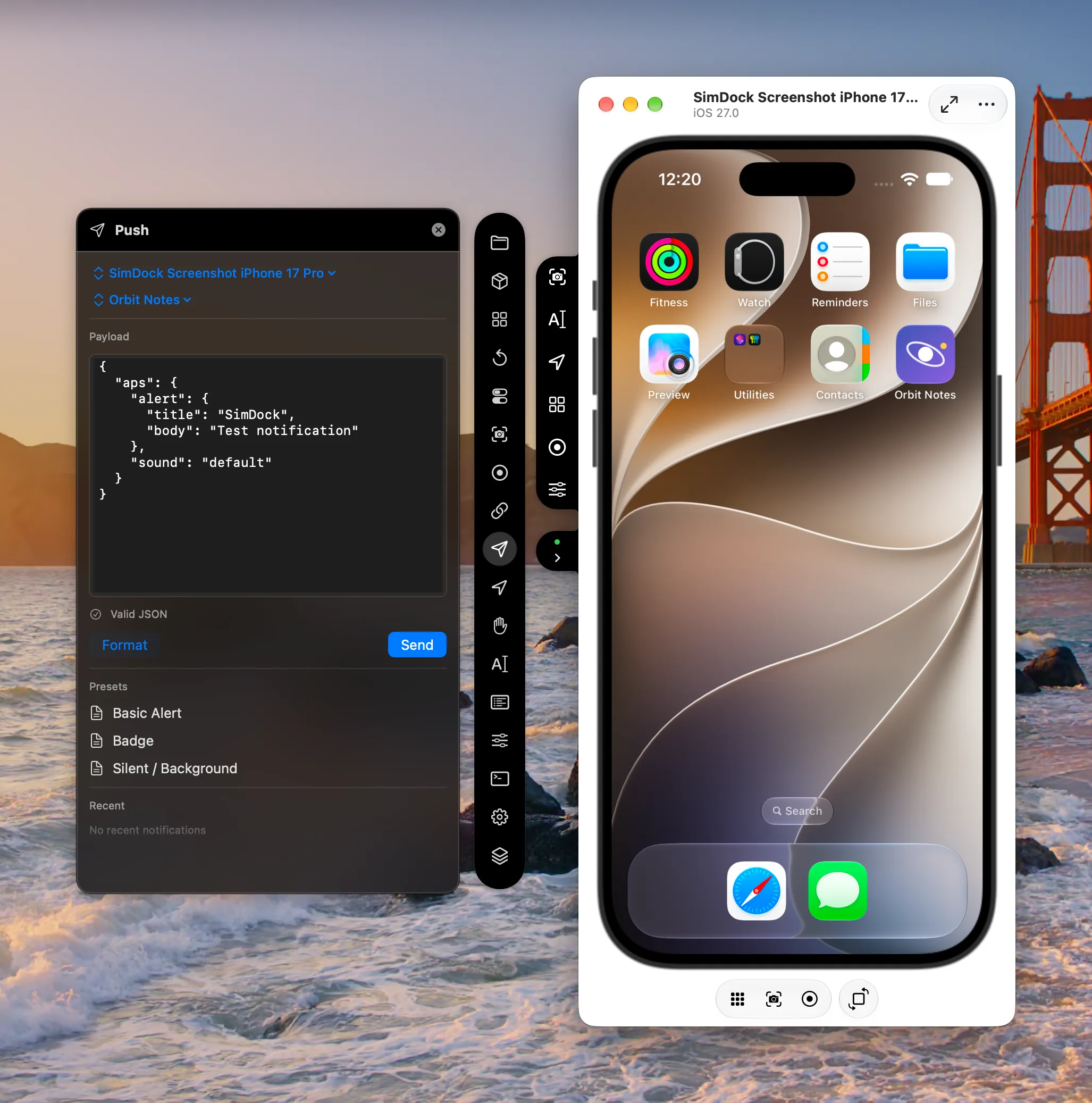
SimDock’s Push tool delivers a simulated push notification to the app selected in SimDock on the selected iOS Simulator. It’s for development and testing: no APNs account, certificate, server or network connection is involved.
The problem it solves
To see how an app presents and handles a notification, you need a payload delivered to it. The simulator accepts payloads locally through xcrun simctl push, but that means keeping JSON files around and remembering the device and bundle identifier for every send.
How SimDock sends a notification
SimDock validates the payload, then hands it toxcrun simctl push <device> <bundle-id> <payload>, which delivers it on the simulator to that app. The payload is sent exactly as you wrote it; reformatting it is a separate, explicit action.
What you can do
- Edit the JSON payload directly, and Format it when you want to.
- Validate before sending: the payload must be a JSON object containing an
apsobject, and no larger than 4,096 bytes. - Start from a preset — Basic Alert, Badge, or Silent / Background.
- Load a recent send back into the editor from the history. Send always targets the app and simulator currently selected.
- Scenarios can include a push step as part of a repeatable setup.
Limits
- These are simulated notifications for the iOS Simulator. SimDock doesn’t send production notifications through APNs, and a send doesn’t exercise your server, device tokens or APNs credentials.
- Whether an alert appears still depends on the app’s notification permission on that simulator.
- The simulator must be booted and the app installed on it.
Does my app need changes?
No. The app receives the payload through the system, the same way it receives one sent with simctl push.